


5 Min Read
Table of contents

The rise of distributed field operations, remote locations, and real-time asset monitoring has made mobile-enabled enterprise asset management essential. Organizations need a seamless way for technicians to access asset data, operational data, and work orders anytime, anywhere.
IBM Maximo® Mobile for EAM delivers exactly that, empowering field teams to manage inspections, maintenance operations, and tasks both online and offline, with greater accuracy and efficiency. By equipping technicians with a unified mobile EAM app, companies can significantly boost asset reliability, technician productivity, and overall maintenance efficiency.
What Is IBM Maximo® Mobile for EAM?

IBM Maximo® Mobile for EAM extends the IBM Maximo® Application Suite to mobile devices, allowing technicians and supervisors to manage tasks on the go. It provides a connected yet flexible experience that supports both real-time data access and fully disconnected mode.
Overview
IBM Maximo® Mobile for EAM brings enterprise asset management functionality directly into the field. Through a single mobile app, field teams can manage work orders, inspections, assets, and inventory from their smartphones or tablets. Even when working offline, technicians can continue performing tasks seamlessly, with data syncing automatically once reconnected. This ensures continuity, accuracy, and convenience across diverse operational environments.
Platform Compatibility
The application works across iOS, Android, and Windows platforms to support a wide range of devices used by modern field forces. Whether downloaded through the Google Play Store, private enterprise app stores, or MDM tools, IBM Maximo® Mobile ensures consistent performance. This allows organizations to deploy the solution across rugged devices, standard smartphones, or tablets based on their operational requirements.
Key Features of IBM Maximo® Mobile

This section introduces the core capabilities that make IBM Maximo® Mobile a powerful mobile EAM solution for asset-intensive environments.
Work Order Management
Technicians can manage work orders from anywhere, creating, editing, and completing them directly through the app. They can log labor hours, materials used, and tasks performed in real time, enabling planners and supervisors to maintain oversight without delays. This removes the need for manual updates and enhances transparency across teams.
Asset Management
The app provides access to complete asset profiles, including details, history, maintenance records, and location information. Technicians can update asset conditions, scan barcodes for quick access, and record changes instantly. This improves accuracy and ensures that asset data remains up to date throughout maintenance operations.
Inventory & Parts Handling
With integrated inventory functionality, technicians can check part availability, issue or return components, and update stock usage straight from the field. Using device cameras or scanning tools, they can process barcodes or RFID tags easily. This improves inventory accuracy and reduces downtime caused by missing or misplaced parts.
Inspection & Checklist Support
The app provides structured inspection forms and guided workflows to help technicians conduct inspections consistently. They can attach photos, voice notes, and comments to record findings. This ensures compliance, improves reporting quality, and supports faster resolution of minor issues identified during inspections.
Offline Functionality
Technicians working in remote locations can continue accessing work orders, assets, and inspections without network connectivity. The app’s disconnected mode stores all actions locally, syncing them automatically once the device reconnects. This ensures continuous productivity regardless of signal strength.
GIS & Spatial Mapping Integration
Integrated spatial mapping allows technicians to view assets and work orders on a map. This visual context helps teams navigate large facilities, remote networks, or distributed assets more effectively. It enhances planning, reduces travel time, and improves coordination in field operations.
Benefits of IBM Maximo® Mobile for EAM

Adopting IBM Maximo® Mobile brings several proven benefits that strengthen enterprise asset management workflows:
- Increases technician productivity by reducing time spent on manual tasks and enabling more wrench time.
- Reduces paperwork and eliminates duplicate data entry through mobile-first workflows.
- Enables real time decision-making by providing immediate access to asset data and operational data in the field.
- Minimizes downtime through faster work execution and immediate visibility of asset issues.
- Improves inventory accuracy and enhances asset data quality across the system.
- Strengthens compliance by supporting structured inspections, documentation, and audit-ready reporting.
Use Cases and Industry Scenarios

Organizations across industries use IBM Maximo® Mobile for a wide range of operational needs. Below are key examples of how different sectors benefit from mobile EAM.
Utilities & Energy
Technicians can conduct inspections on substations, power lines, meters, and field equipment while accessing maps and asset records instantly. Mobile workflows help reduce outages, improve safety, and support faster task execution across large distributed networks.
Facilities & Real Estate
Facilities teams use the app to perform HVAC maintenance, building inspections, and room-by-room asset updates. Mobile approvals allow managers to respond quickly, improving response times and reducing operational delays.
Manufacturing
Factory teams manage equipment breakdowns, preventive maintenance, and spare parts handling through the app. Real time updates improve coordination between operations, stores, and maintenance departments, helping reduce production downtime.
Transportation & Fleet
Fleet operators use mobile EAM to track vehicle maintenance, conduct inspections, and manage fueling data. Technicians can update records immediately after service, improving fleet readiness and reducing compliance risks.
Implementation Best Practices

To ensure successful deployment, organizations should follow proven best practices when implementing IBM Maximo® Mobile:
- Choose rugged or enterprise-managed mobile devices that align with field conditions and operational demands.
- Configure user roles and permissions to provide each team member with the exact tools and data they need.
- Begin with a small pilot group to refine workflows and ensure strong user adoption before scaling.
- Train technicians thoroughly on offline mode, sync protocols, and task workflows to avoid disruptions.
- Monitor app performance and user feedback through KPIs to ensure continuous improvement.
Common Challenges to Watch For

While IBM Maximo® Mobile delivers significant value, organizations must be mindful of potential challenges:
- Over-customization of workflows or UI elements can create technical debt, making upgrades to new IBM Maximo® Mobileversions more time-consuming and expensive.
- Sync failures or delays may occur when offline configurations are not optimized, causing discrepancies between field data and backend records.
- Weak device management policies, such as lack of encryption, shared logins, or unmanaged OS updates, can expose asset dataand operational data to security risks.
- Inadequate training and change management may lead technicians to revert to older processes, reducing the value of mobile EAM adoption.
- Poor connectivity planning in remote locations can disrupt real time processes, requiring teams to rely heavily on offline mode without proper protocols.
- Lack of integration with sensors, wearables, or existing systems may limit the full potential of mobile EAM solutions, affecting long-term scalability.
Key Metrics for Success
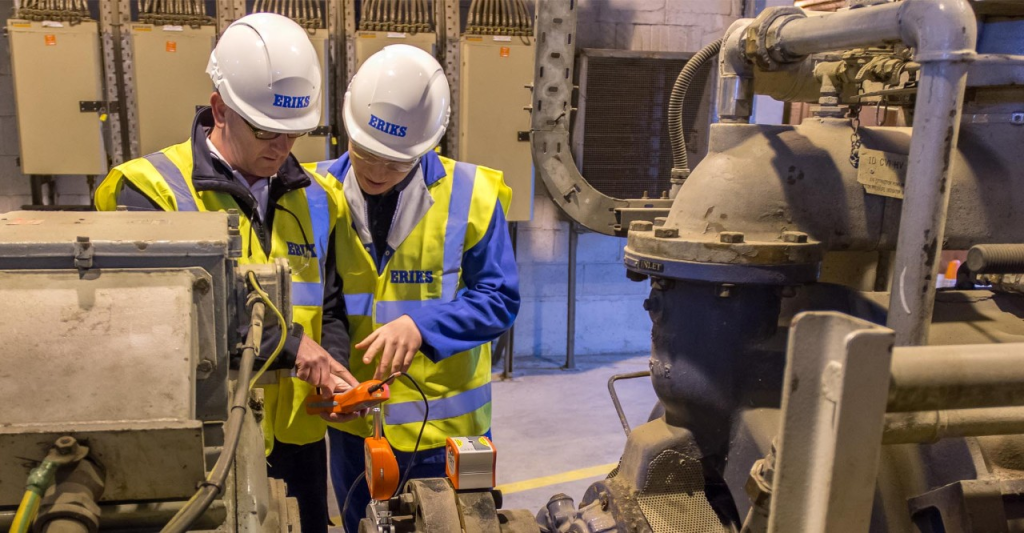
Tracking the following KPIs helps organizations measure the impact of mobile EAM implementation:
- Percentage of work orders completed on mobile versus desktop indicates technician productivity and mobile adoption maturity.
- Average sync time for offline mode helps evaluate whether field teams experience delays transitioning from disconnected to connected workflows.
- Accuracy of inventory transactions logged from mobile devices reveals how well the app supports parts management and reduces stock discrepancies.
- Reduction in travel time between tasks shows the efficiency gained through spatial mapping, better routing, and optimized task assignments.
- Time taken to detect and address minor issues reflects the impact of mobile inspections and real-time data visibility on asset reliability.
- First-time fix rate demonstrates how well IBM Maximo® Mobile equips technicians with institutional knowledge and resources needed to resolve issues quickly.
- Technician satisfaction scores and usage frequency measure how intuitive, accessible, and user friendly the app is for daily operations.
- Decrease in paperwork volume illustrates digitization success and improved data quality across processes.
Conclusion
IBM Maximo® Mobile for EAM is a transformative solution for asset-intensive organizations aiming to modernize and streamline maintenance operations. By extending the capabilities of the IBM Maximo® Application Suite to mobile devices, it empowers technicians to work faster, smarter, and with higher accuracy, regardless of connectivity or location. With its user-friendly interface, real time data access, offline functionality, and powerful integrated tools, IBM Maximo® Mobile delivers measurable improvements in productivity, compliance, and asset reliability.
For any organization looking to enhance mobile EAM, strengthen field operations, and support a connected workforce, get in touch with Banetti, a leading platform that can help you implement and maximize the benefits of IBM Maximo® Mobile.